I recreated my app listing and create internal test trk and production trk successfully.thanks for your help!thanks for the nsbasic team.keep the spirit!
@james
I am using my own keystore within AppStudio as well as Google app signing.
Today I uploaded a new aab / bundle version and got a production track which is under examination.
If I wish an upload directly by AppStudio again: Would I need a new Google Play Key for Voltbuilder properties after using a newer keystore than that at the time when the key for VoltBuilder was built? Or what might be the reason that de.bsommer.pianocalc is not found?
Update:
After having submitted a production track manually and waiting for result of examination,
I tried again a direct upload from AppStudio/Voltbuilder. The error message has changed and now I can understand why. Each time when I manually upload an aab to Google I need to manually increase the version property with AppStudio, let me say from 8.3.7 to 8.3.8 and build a new local bundle. Afterwards Google will accept this increased bundle version. My latest manual upload was with 8.3.8 and I did not increase the version code before I tried to upload with Voltbuilder. Because my version 8.3.8 still needs to be approved by Google, I obstained from changing the version property from 8.3.8 to 8.3.9 or so.
[Google Play Store] Requesting access to upload a new release
[Google Play Store] Uploading to production track.
Error uploading to Google Play Store:
<HttpError 403 when requesting https://androidpublisher.googleapis.com/upload/androidpublisher/v3/applications/de.bsommer.pianocalc/edits/08045826365311487714/bundles?alt=json&uploadType=media returned “APK specifies a version code that has already been used.”. Details: “APK specifies a version code that has already been used.”>
Build 126ab3f7-1d7c-4407-8e56-2804ccdb32e7 failed
Hi @james
Were you able to create a step by step on how to use the google signature by api integrity?
The updated documentation is here: Upload to Google Play | VoltBuilder
Let me know if you have any questions.
Hi James
Thanks for the answer, I’ve seen this walkthrough but it’s quite out of date, a lot has changed from November to December, now the integrity api is providing .der files.
Upload certificate and signing key certificate.
It is difficult to know which file to use and how to configure it in Voltbuilder
We’ll be reviewing the docs and updating this process with the new store changes over the next few weeks. In the interim, if you have a der file that you need to use with voltbuilder, there are may instructions online on how to convert this to the p12 style certificate/key container voltbuilder uses. If you aren’t able to find anything let us know and I can see if I can outline how we do it with the openssl tool.
It is not easy find docs to convert .cer and p12. Google have poor documents to it and i am really lost to upload my app.
I tried to convert, but i dont know whats is the keys to do it.
I used SSL Converter - Convert SSL Certificates to different formats, but first convert to .pem, but to convert do p12 i need some keys and and dont know wich one
I gave this to George about 2.5 years ago. It has .cmd files and instructions that I use to generate the necessary signing keys.
The .cmd files are renamed with an added .txt extension for safety and security sake. So open them, read them, etc and when you feel comfortable you can remove the .txt extension and run them.
Do make sure OpenSSL is properly configured and the executables are in your PATH=. Below are the environment variables I had sent to George to show you what’s needed. As your system is probably configured differently than mine, you’ll have to adjust the variables accordingly.
Likewise there may have been some breaking changes in OpenSSL that you may have to work through but this should get you 95% of the way there.
JAVA_HOME=C:\Program Files\Java\jdk-12.0.2
OPENSSL=C:\Program Files\OpenSSL-Win64\bin
Path=C:\Program Files (x86)\Common Files\Oracle\Java\javapath;C:\WINDOWS;C:\WINDOWS\system32;C:\WINDOWS\System32\Wbem;C:\WINDOWS\System32\WindowsPowerShell\v1.0\;c:\Program Files (x86)\ATI Technologies\ATI.ACE\Core-Static;C:\Program Files (x86)\Windows Live\Shared;C:\Program Files (x86)\QuickTime\QTSystem\;C:\WINDOWS\System32\OpenSSH\;C:\Program Files\nodejs\;C:\WINDOWS;C:\WINDOWS\system32;C:\WINDOWS\System32\Wbem;C:\WINDOWS\System32\WindowsPowerShell\v1.0\;c:\Program Files (x86)\ATI Technologies\ATI.ACE\Core-Static;C:\Program Files (x86)\Windows Live\Shared;C:\Program Files (x86)\QuickTime\QTSystem\;C:\Program Files (x86)\Skype\Phone\;C:\Users\philp\AppData\Local\Microsoft\WindowsApps;C:\Program Files\Java\jdk-12.0.2\bin;C:\Program Files\7-Zip;C:\Program Files (x86)\cmds;C:\Program Files (x86)\Minimal ADB and Fastboot\;C:\Users\philp\AppData\Local\Microsoft\WindowsApps;C:\Users\philp\AppData\Roaming\npm;C:\Program Files\OpenSSL-Win64\bin;
PATHEXT=.COM;.EXE;.BAT;.CMD;.VBS;.VBE;.JS;.JSE;.WSF;.WSH;.MSC
Certificate Manager.zip (3.1 KB)
We started from @PPetree’s stuff to build VoltSigner, which puts a nice GUI on this.
Tks @PPetree , but my problem is very particular, some one in our team click to use app integrity, so he dont choiced the option to upload our old keysotre, now just google can manage the keys and the files to download is only .der
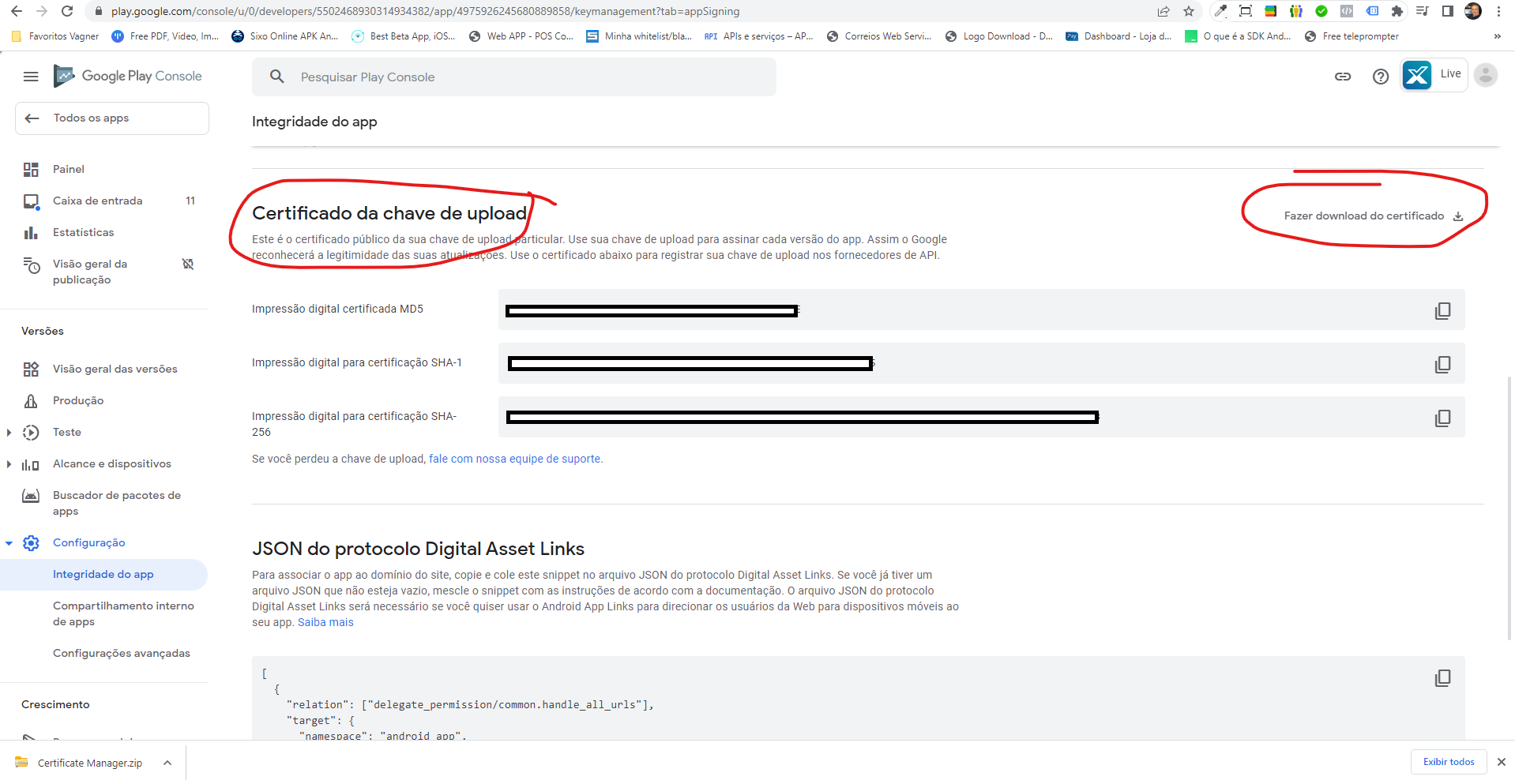
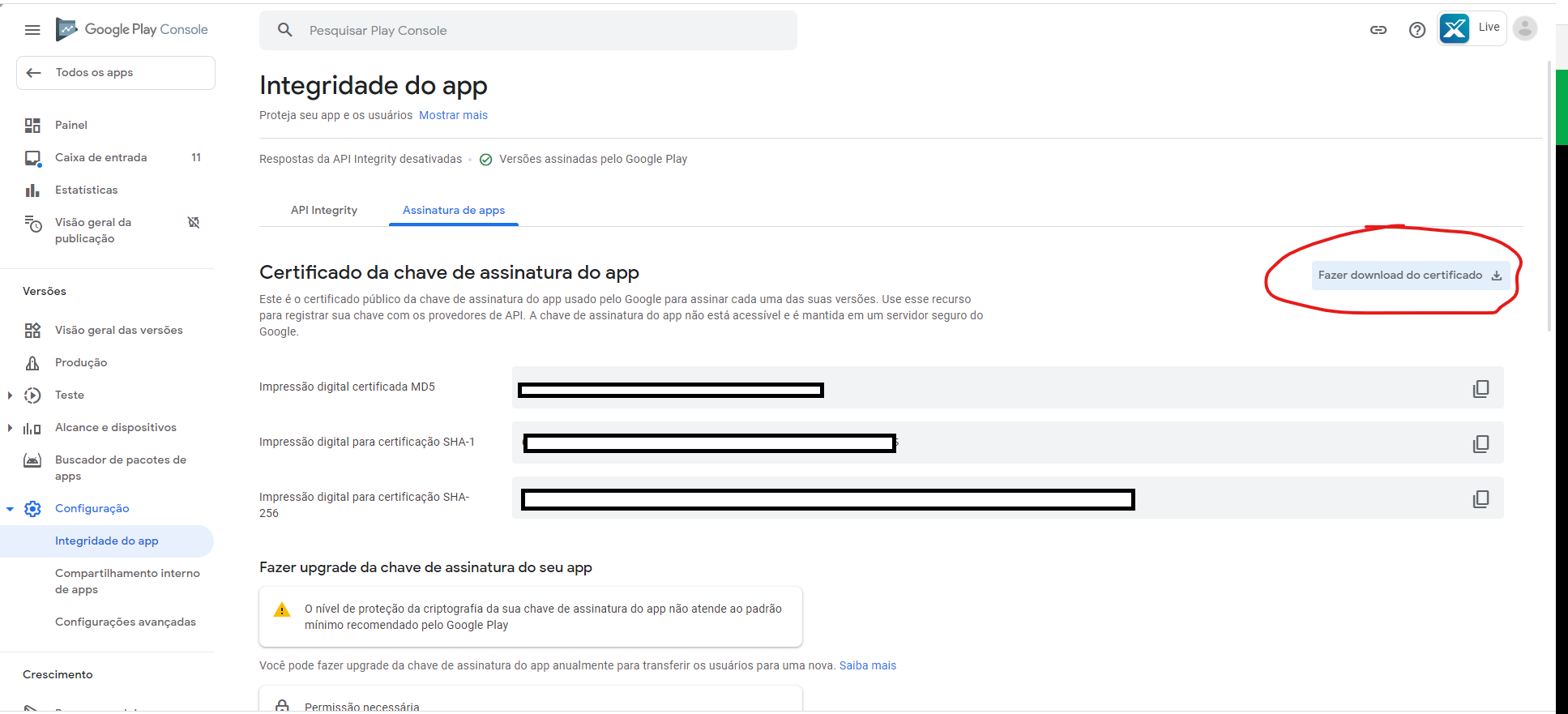
You should still be able to do that using openSSL.
Look at this answer on SO:
Now, if you only have the public key, you may have to contact Google and have them undo the setting on their end. Yikes!
Here’s an excerpt from an upcoming document that we’re preparing on the new changes in the Play Console:
Signing
There are a number of different ways to go about signing your app.
- APKs can be signed via the normal process. This is only used for grandfathered apps.
- AABs uploaded must be signed.
- The keys for uploaded aab files are considered upload keys. They are stripped from the app and replaced by keys managed by google (unless, of course you aren’t having google manager your keys).
- Upload keys - once you upload an app signed by a particular upload key, that’s your upload key for the app - you can only change it by contacting google’s support or recreating the entire app.
Using the modern process you should never need the DER file. If you allow google to manage your keys, then all you need is to manage an upload key.