I am strictly a webapp programmer, and I haven’t used AppStudio for a while, since a couple of revisions ago. Primarily, I write webapps for the iPhone.
I had to write a webapp yesterday and found the system icons working differently than how I remembered them working. This is what I discovered:
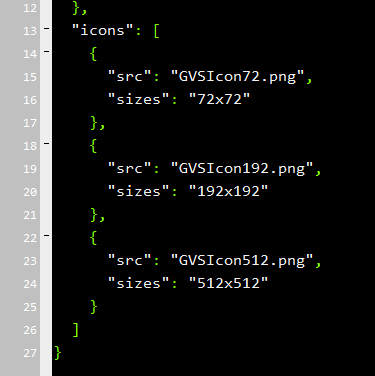
The nsb/images icons (72.png, 192.png, and 512.png) are overwritten each time I compile the application (this is noted in the resource documentation).
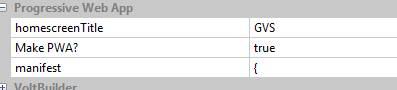
The manifest.json file is overwritten each time the application is compiled (also noted in the resource documentation).
I wanted to set my icons for the browser and iPhone home screen. I use a macbook and the easiest way I found to do this was to write a bash script to copy my icon files (named the same as above) into the nsb/images folder. Then everything works properly.
I assume there is a way to do this within the AppStudio environment.
Rodney
NB: I used Bootstrap 5 elements this time and was quite pleased with their performance!
Thanks for the suggestion. However, as I mentioned above, the manifest is overwritten each time the project is recompiled. Same as the icon image file.
I wonder if this is a real problem or if I am doing something wrong?? George thoughts?
George, Thank you, the ‘icon’ property is now there. Also, I changed the manifest file and it reflected the icon. I assume the 192x192 icon will be used automatically in Browser and for the iPhone screen.
I think we are good to go.