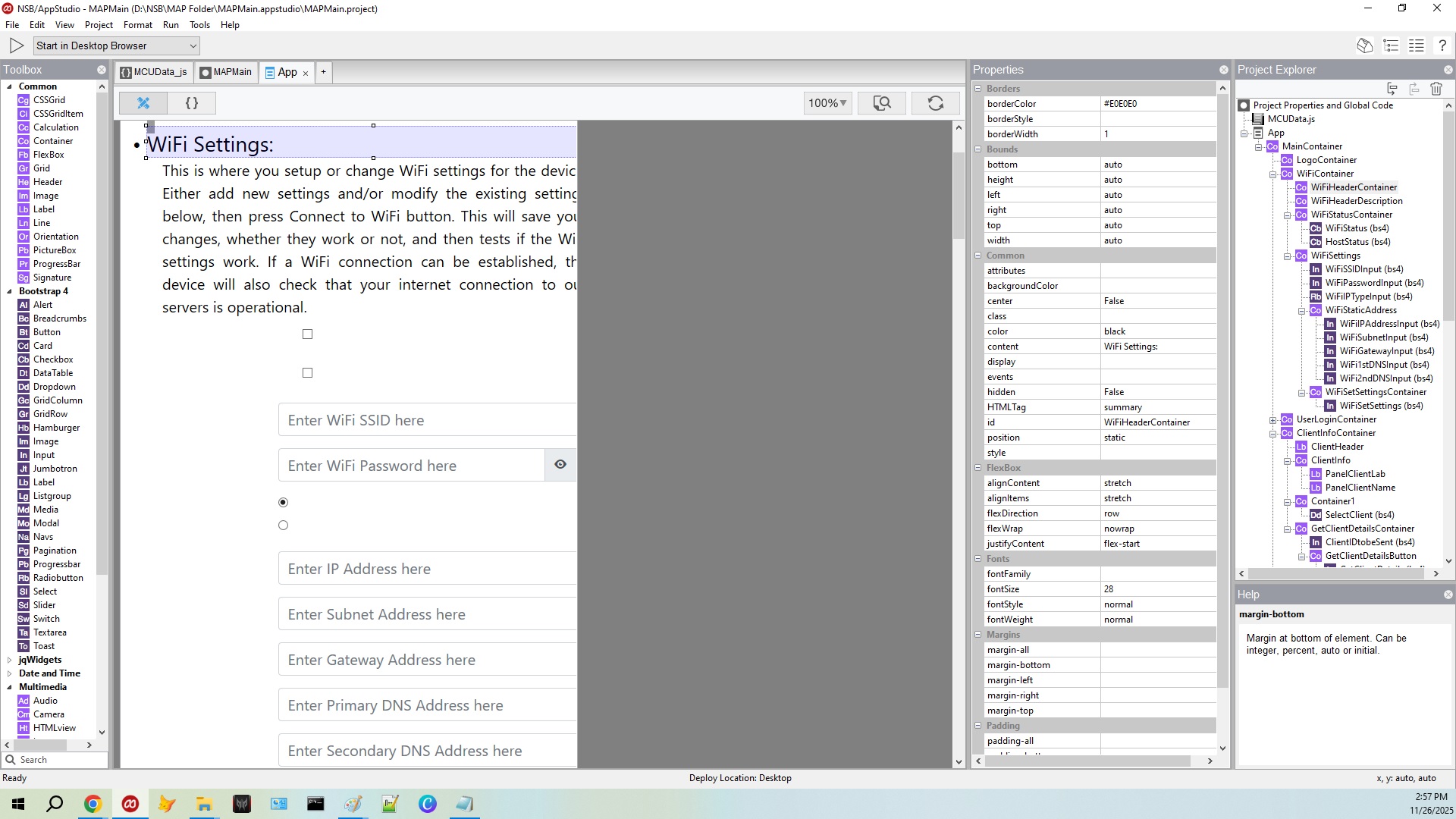
Attached is a screenshot of the IDE and the resulting Chrome Browser. If the containers are set as DIV, there’s no problem with the IDE painting, well, no serious problems. But if you setup the outer container as details and the inner container as summary, the IDE doesn’t decode it correctly, nor the HTML within.
<details><summary>Title of region</summary>
The details of this region you want to show upon clicking.</details>
Another question, programatically I can flip flop the expanded vs collapsed by firing the click event. Is their a property that indicates at run time if the details are expanded? And is there a way, if the state is unknown, to force an expanded or collapsed state?
The “open” attribute causes the details to be expanded. This is not a true/false attribute but rather a “present or not” one (like “hidden”) so to close a details tag programmatically, you need to use removeAttribute ().
From: discuss@discuss.appstudio.dev Sent: November 26, 2025 3:22 PM To:smillman@usa.net Reply-to: replies+fa6b4259424dfde414428b1bd4f77bae@discuss.appstudio.dev Subject: [AppStudio] Details and Summary HTML tags on containers
Attached is a screenshot of the IDE and the resulting Chrome Browser. If the containers are set as DIV, there’s no problem with the IDE painting, well, no serious problems. But if you setup the outer container as details and the inner container as summary, the IDE doesn’t decode it correctly, nor the HTML within.
<details><summary>Title of region</summary>
The details of this region you want to show upon clicking.</details>
Another question, programatically I can flip flop the expanded vs collapsed by firing the click event. Is their a property that indicates at run time if the details are expanded? And is there a way, if the state is unknown, to force an expanded or collapsed state?
I made a new project with just a container in it. I set the HTML tag to details and put <summary>Title of region</summary> The details of this region you want to show upon clicking. into content.
It seemed to work properly to me. Can you send a minimal project (like I made) which shows the problem?
I found what is causing the IDE problem. Should have minimalized the code first before starting this thread.
The issue is that the background color of the details tag is not being painted by the IDE. A simple fix is to surround the details with a div with the appropriate background. But as noted before, Chrome does paint the details tag background color. My lettering was white on a gray background. Invisible with a white background.
Also. The container with the Details tag has a read write property called open. It is true or false. Reading it returns true if expanded, or false if not. Setting this property to true forces the control to be expanded, while setting this property to false forces the control to be collapsed.
Upgrading to version 9 will not make a difference for this issue, but probably is a good idea in any case. There have been a lot of enhancements and fixes.
AppStudio Containers give you the ability to design your own controls from the raw HTML. It’s not surprising that you might need to do some additional styling to get things like the background right.

 |
|