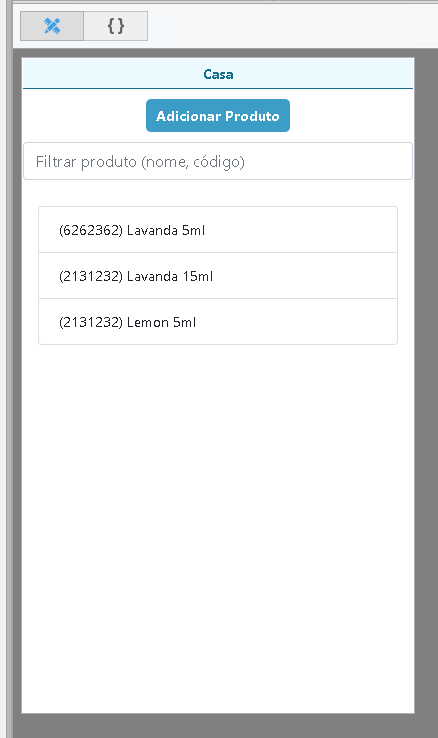
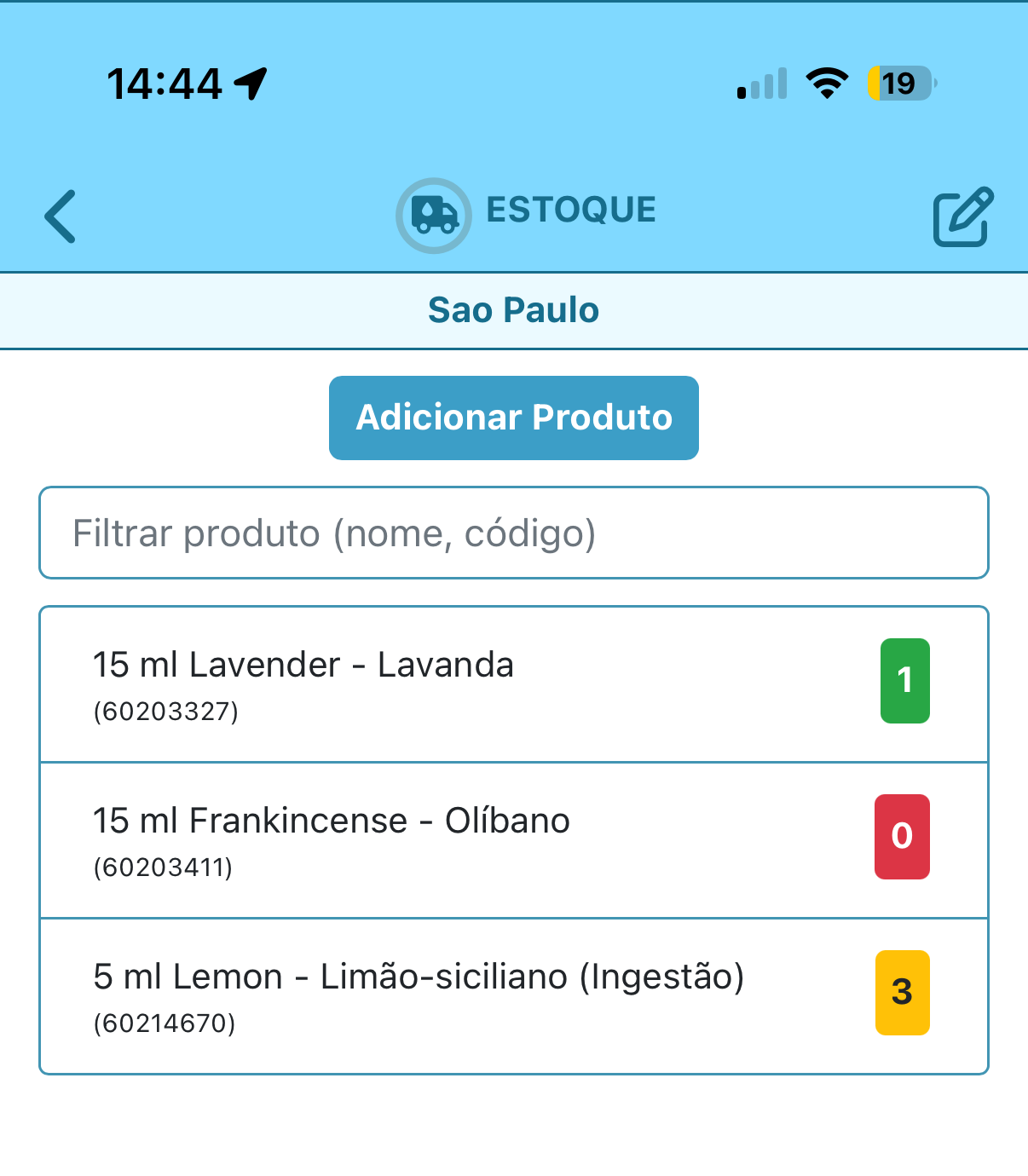
Not sure if others have bumped into this, but I have a challenge with ListGroups (or any other control that behaves similarly). Sometimes I need to attach a complex layout to each ListGroup_item and there is no easy way of doing so (example below - inventory screen):
Figure 1: IDE view of the Listgroup (Inventory-Add screen):
So in order to get there, I design a div (flexboxes, buttons, etc) and then I look at the generated NSB HTML code. With it, I create a function that will output the equivalent to the div code. The funcion output is then attached to the ListGroup_item.
While it works, it is somewhat cumbersome, as AppStudio can generate this code itself and I should not need to duplicate it inside a function (depending on the div layout, it can get quite complex).
The ask: perhaps having a “repeatable element” design window that would allow us to draw it using the IDE, naming it an unique ID (like any control ID) and by some means instruct the ListGroup (or any other repeatable control) to attach that repeatable element to its ListGroup_item. Text and CSS could be a parameter fed into it, or we could use #markers# to make it easier to later run through the control elements and just update content and format.
I have similar situations in just about every app, in that I’ll, depending on the complexity of a Flex division of code, use many levels of divs to get the appropriate rendering. I’ve looked at coming up with an easier way to “generate” these levels, but I don’t see much consistency in my requirements.
Not sure there’s a solution that would cover a lot of developers. However, the request does sound interesting, sort of a way of creating our own macros of code to include.
@GaryGorsline raises a good point. The requirements for such a thing are different enough each time that it’s difficult to come up with a comprehensive solution.
When faced with the need to replicate a complex structure of elements repeatedly, I usually create one as a template (it can even be on another form), then use code to clone it where needed at runtime.
JavaScript has useful functions for doing this. cloneNode() will make a clone of your template. Use appendTo() to add it anywhere else in your project. Update the id attribute of each element in your clone so it has unique names.
If I follow this correctly, this could be done by the form designer using a form that will never be displayed, then just using cloneNode() to create a copy and appendTo() to insert it into the desired position. It should work, I’ll give it a try.
I have one project where the code is generated similarly to your suggested method. It copies code from a hidden form, as you suggest, and does a “string replacement” of the key elements to form each section of the code. It solved a problem where the sections of code where defined in a spreadsheet and an external program converted the spreadsheet into a bunch of javascript code definitions which was included into the appstudio project. As each section becomes active, the appstudio app would create the necessary html to present the appropriate screen question. It was a bit clumbsy, but I had over 500 questions to present, so it worked well as question changes were rampant in that app.